

This next step is where we return to the Groupings and Areas to assign the Coordinators to them.
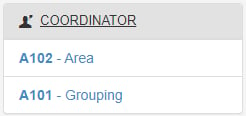
- Start by going to the the “Coordinator” tab in the left column and click “A101 – Grouping”.
Groupings:
We will start with setting up your Grouping Coordinators. If you do not have any Coordinators for Groupings then skip this section.
- On the “Grouping” page select one of the the “Change” icon for the Grouping you wish to attach a Coordinator to.
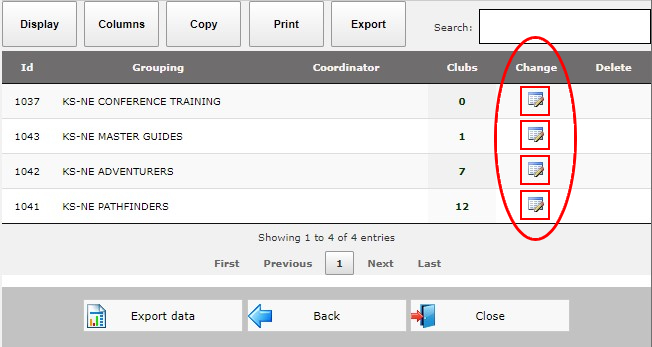
- For our Conference we only have one Adventurer Coordinator for the whole conference so I will attach this coordinator to the appropriate grouping.
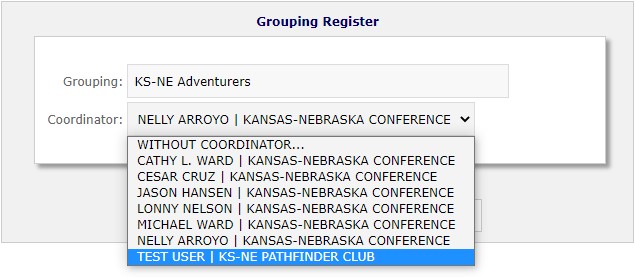
- Now click the “Save” button.

Areas:
- We will need to return to the “Coordinator” tab in the left column and click “A102 – Area”.
- On the “Area” page select one of the “Change” icon for the Area you wish to attach a Coordinator to.
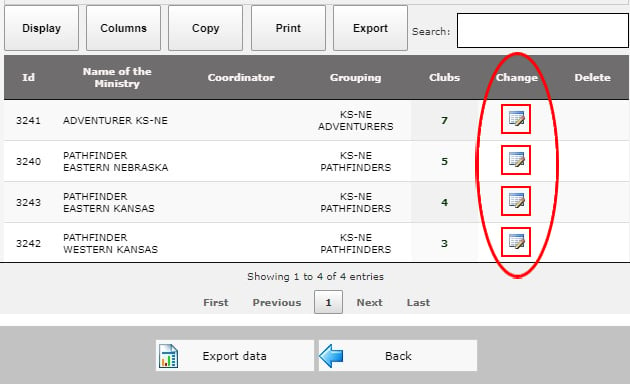
- For our Conference we only have one Adventurer Coordinator for the whole conference so I will attach this coordinator to the appropriate grouping.
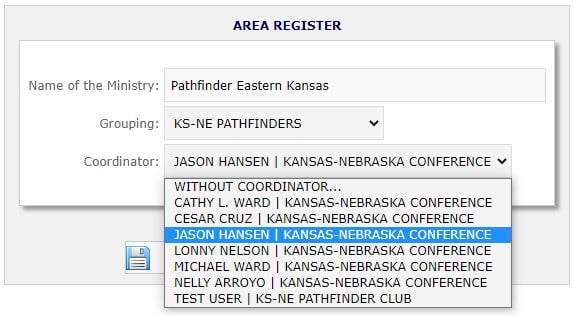
- Now click the “Save” button.